
Laptop fan service and cleaning
Istanbul · Perpa Şişli
Fan · Termal Macun · Metal · Termal Putty · Warranted handover
Laptop fan service in Istanbul for overheating and noisy cooling. Dust, paste and fans are checked at Mx Store in Perpa before quoting.
- 30–90 DkSame-day handover
- WarrantedMaintenance + labour
- Freetesti
- 7+ YearsUzman teknisyen
- Perpa ŞişliIstanbul workshop
Fan Maintenance Before & After
Mx Store Perpa workshop done profesyonel fan cleaning (toz birikimi giderilir, hava ve cooling restore edilir.
- 15–25°C
- %40More sessiz fan
- 30–90 dkSame-day handover
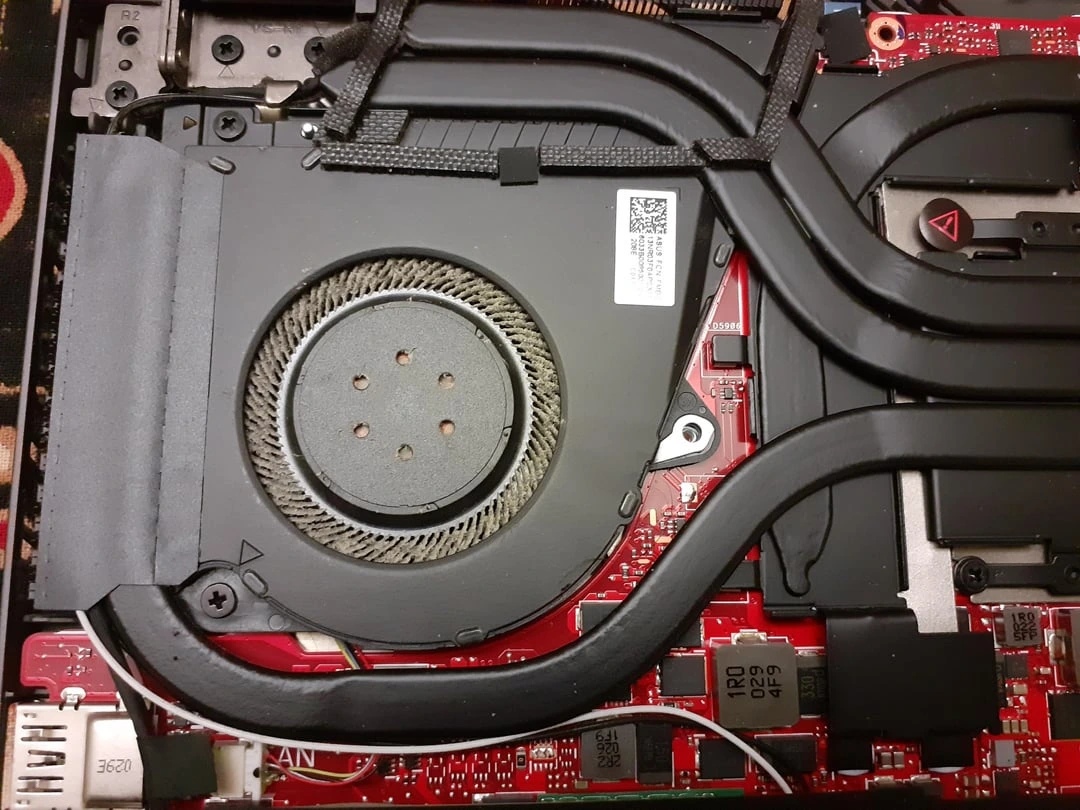
Tozlu kanatlar, kanal, devir ve noise
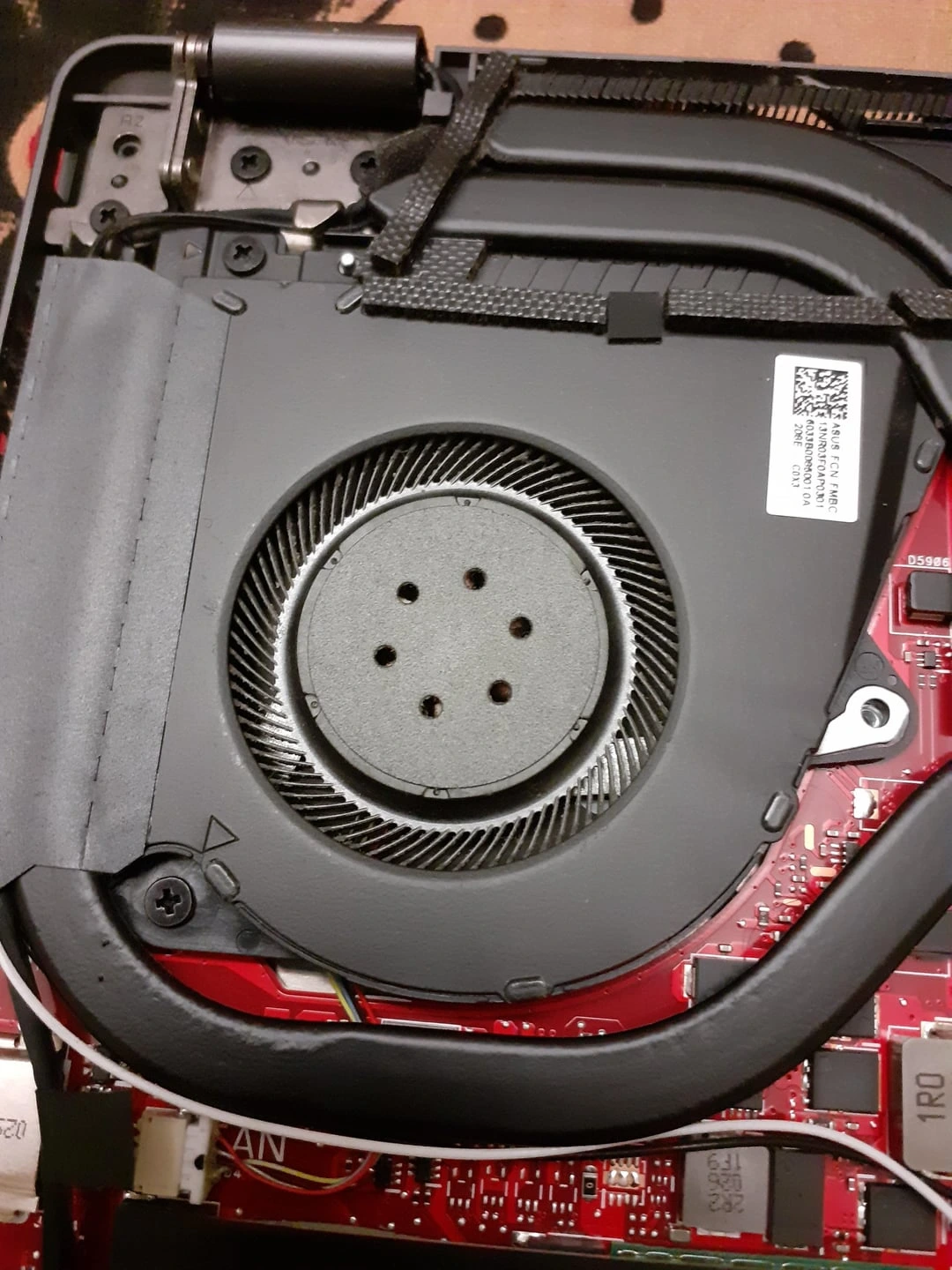
Temiz fan, kanal, dengeli devir ve sessiz
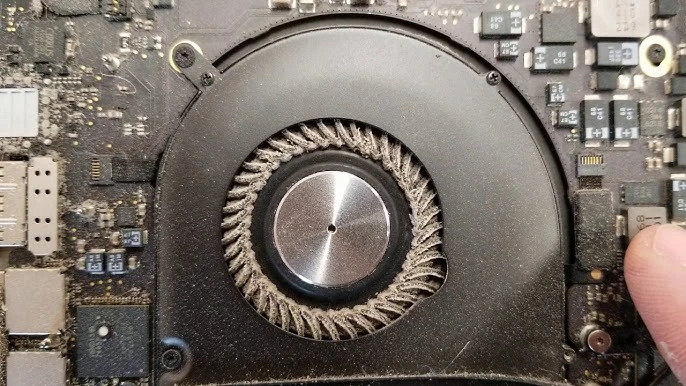
Tozlu kanatlar, kanal, devir ve noise
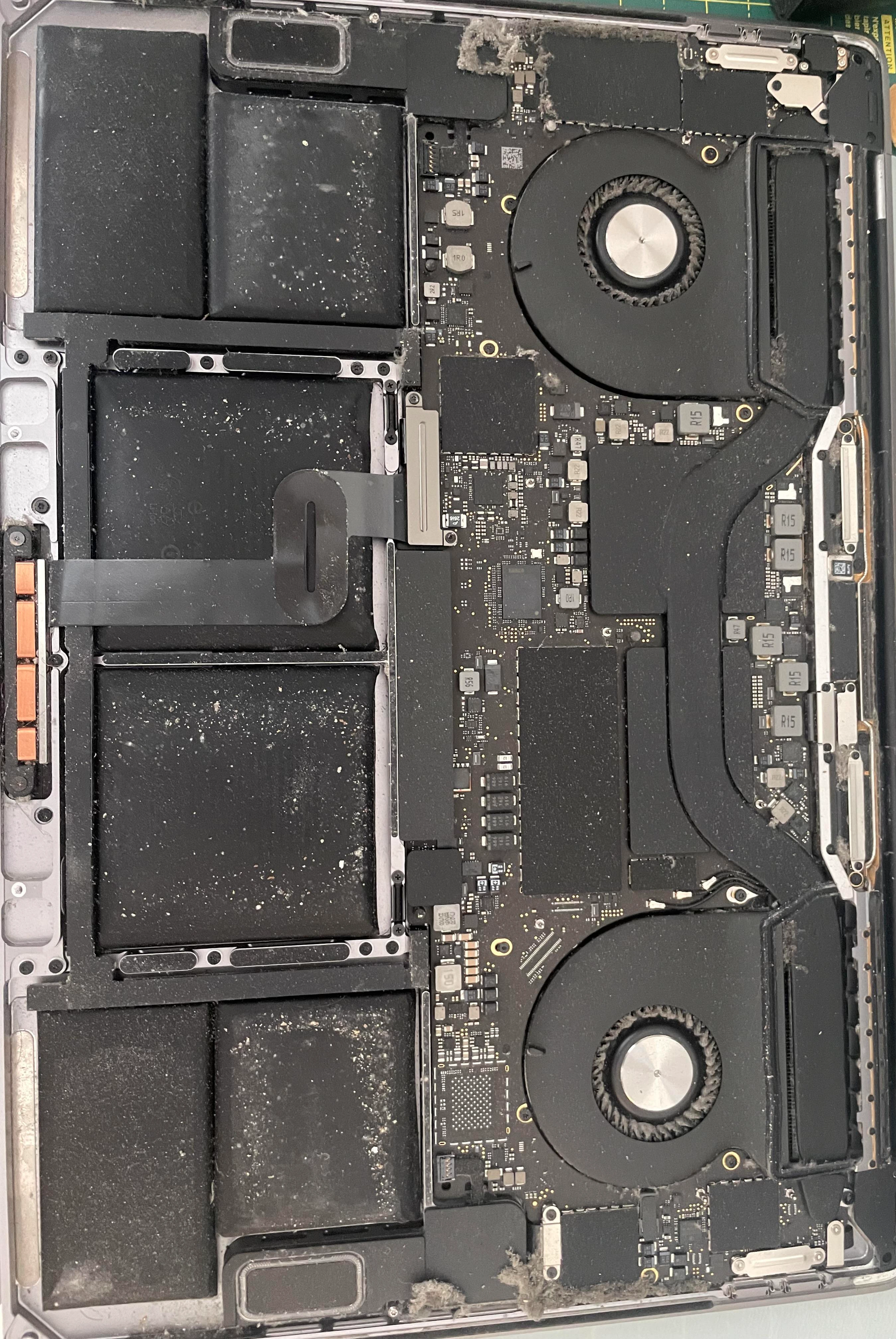
Temiz fan, kanal, dengeli devir ve sessiz
Laptop fan service Scope
Mx Store laptop ve notebook fan maintenancehizmeti verir. ESD , mikroskobik temizlik ve quality termal malzemeler .
- Laptop / notebook fan maintenance
- Mx6 termal macun replacement
- Gaming laptop fan cleaning
- metal likit yenileme (gaming)
- Termal putty yenileme (VRM / chipset)
- MacBook fan maintenance
- Desktop kasa fan cleaning
- PlayStation fan maintenance ( service)
En Very Sorulan 3 Sorunun
Google en very sorulara , net .
Laptop temizleme fee ne until?
2026laptop temizleme fee ve fan maintenance 750 TL with 3.750 TL. Standart laptoplar 750–2.250 TL, gaming modeller 1.550–3.750 TL range. Termal macun ve metal likit yenileme dahildir.
750 – 3.750 TLLaptop fan temizleme fee how many TL?
Laptop fan temizleme feestandart modellerde750 – 2.250 TL, gaming laptoplarda1.550 – 3.750 TLrange. Fan , kanal cleaning ve termal macun / metal likit yenileme dahildir.
750 – 2.250 TLLaptop maintenance ne ?
Ev6–12 ayda bir, ofis6 ayda bir, gaming laptoplar4–6 ayda birfan maintenance .
4 – 12 AyLaptop Temizleme Fee: Maintenance Packsi
Clearlaptop temizleme feevelaptop fan temizleme fee. Approval before net teklif, gizli maliyet yok.
Standart Laptop Maintenance
750 – 2.250 TL
- Fan ve kanal cleaning
- Arctic MX-6 termal macun
- Termal pad check
- Free overheating testi
- 30–60 dk handover
Gaming Laptop fan service
1.550 – 3.750 TL
- / fan cleaning
- metal likit yenileme
- Termal putty + VRM
- FurMark / Cinebench test
- 60–90 dk handover
MacBook Fan Maintenance
1.500 – 3.500 TL
- Pentalobe safe
- MX-6 termal macun
- Toz filtresi cleaning
- Sessiz fan optimizasyonu
- 60–120 dk handover
Laptop Fan Replacement
Model
- Orijinal uyumlu fan
- Rulman fault solution
- PWM fan testi
- Termal maintenance
- 1–2 hours handover
Laptop fan service & Laptop Temizleme Fee
Laptop maintenanceprices model ve maintenance tipine according to . Free overheating testi with .
| Maintenance Tipi | Model Grubu | Price | Time |
|---|---|---|---|
| Standart Fan Maintenance | Ofis / laptop | 750 – 2.250 TL | 30–60 dk |
| Gaming Fan Maintenance | ROG, MSI, Monster | 1.550 – 3.750 TL | 60–90 dk |
| Metal Likit Yenileme | Gaming CPU / GPU | Maintenance dahil | +20–40 dk |
| Mx6 Termal Macun | CPU / GPU | Maintenance dahil | +15–30 dk |
| Termal Putty Yenileme | VRM / chipset | Maintenance dahil | +10–20 dk |
| MacBook Fan Maintenance | Air, Pro modelleri | 1.500 – 3.500 TL | 60–120 dk |
| Fan Replacement | fan motoru | Model | 1–2 hours |
| Komple Maintenance Paketi | Fan + termal + test | 750 TL'den | Same day |
Prices 2026 piyasa per.Hemen, modelinize net price .
7+ servis experiencemizle bu guide,laptop fan maintenance,laptop fan temizleme,termal macun replacementvelaptop overheating problemabout Turkey's en technical source.
Laptop fan service What is?
Laptop fan maintenance, notebook cooling sisteminin profesyonel as , fan ve temizlenmesi,termal macun replacementormetal yenilemewith heat restore bir repair workshop hizmetidir. Sadece fan hava with real maintenance not, Mx Store'da her work ESD , mikroskobik temizlik is done.
Day servisimize gelen large fan tamamen tozla oluyor. most zaman solution arar, oysalaptop performans problemtermal yetersizlikten fan maintenance fix. Maintenance fan cleaning, heatsink cleaning, CPU/GPU termal malzeme yenileme, VRM ve chipset pad/putty check with handover before stres testleri dahildir.
Mx Store as 7 year saha experiencemizlecomputer fan cleaningvenotebook fan cleaninghizmetini Istanbul Perpa merkezimizde same day handover prensibiyle we provide.Computer repairincludingki bu work,laptop maintenancepaketinin en very talep edilen kalemidir.
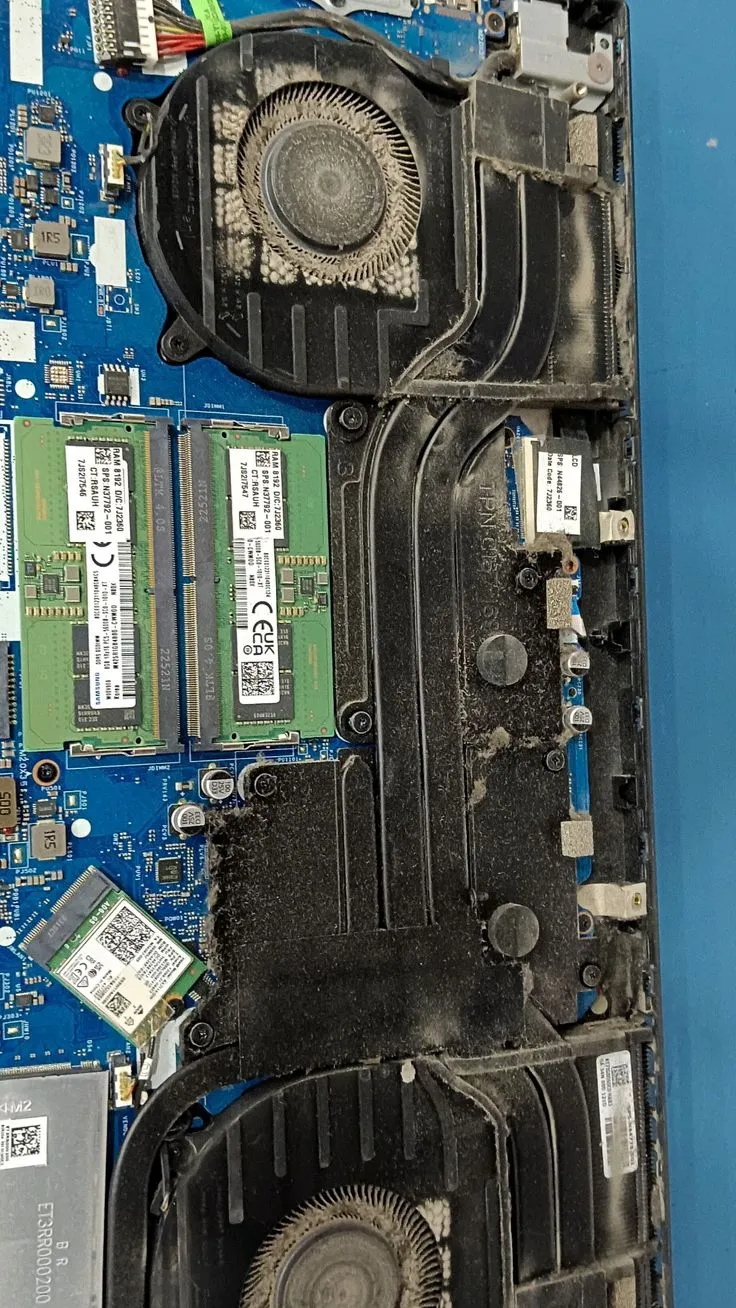
Laptop Why ?
Laptop very, servise gelen notebook' %70'inden . Temel nedenler: tozlu fan , termal macun, hava , , arka planda ve . CPU ve GPU work yaparken heat , bu heatheatpipe(heat borusu) veheatsink( ) fan .
Hava fan maksimum devirde ) bu da noise ve enerji . Yatak, koltuk or on hava . Sigara ve ev tozu fan tabaka , bu tabaka zamanla nem fan bearing'e zarar verebilir.
laptop overheating problemnu . olsa da fiziksel ve macun .laptop temizlemeve termal maintenance, anakarta uzun vadeli termal hasar riskini . charging socketi ve battery da etkiler, gerekirselaptop battery replacementbirlikte .
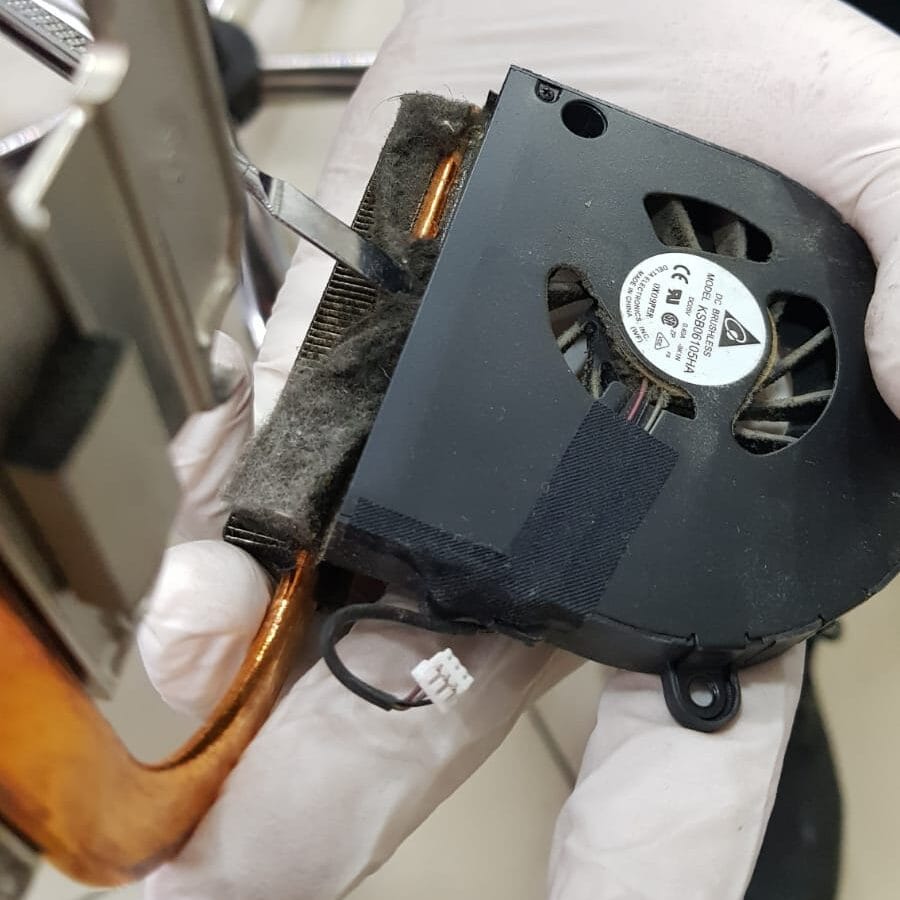
Laptop Fan Why Noise Yapar?
Fan noise most zaman devirde sonucudur (processor forPWM fandevri . Toz birikimi kanat dengesini bozar, ve .Fan bearing(rulman) ve sesi duyulur, bu temizlik yetmeyebilir,laptop fan replacementgerekir.
Repairmize gelen Monster ve MSI gaming laptoplarda fan sesi genelde fan sisteminin birinin verimli . Bir fan kompanse etmek for more fast . Temizlik ve termal yenileme after her iki devri dengelenir.
MacBook modellerinde fan sesi most zaman toz filtresi gelir. kasa sesi , "fan bozuldu" oysanotebook fan cleaningyeterlidir. Fan sesi ani ve metalik ise rulman fault , free diagnosis with is done.
Laptop Fan
, durationkli . Arka planda Windows Update, or sekmeleri CPU , ancak bile fan termal problem available. termal macun CPU with heatsink mikroskobik , heat transferi , fan durationkli .
termal macun yeterli de modellerde termal putty . VRM ve chipset heat da fan etkiler. Mx Store'da maintenance before HWInfo with all okunur, hangi fan belirlenir.
as power " performans" moduna almak fan durationkli , bu normaldir. Ancak "dengeli" modda bile fan durmuyorsalaptop fan temizlemeve termal maintenance . Turbo Boost aktifken durationli fan normal kabul edilir.
Laptop Fan
Fan device derhal . Modern processor dakikada 100°C'ye ve ani kapanma or hasar . Fan motoru fault, fan kablosu or motherboard fan kontrol devresi fault nedenlerdir. Toz fan " gibi" ) diagnosis .
Serviste fan ve PWM sinyali . Fan motoru temizlik yeterli olabilir, rulmanlaptop fan replacement. Gaming laptoplarda sistemlerde bir fault excessive (ikisi de kontrol edilir.
Fan replacement price by model , orijinal uyumlu fan . Maintenance with fan birlikte ekonomik olabilir: zaten cihazda termal malzeme yenileme marjinal duration ekler, uzun vadede tekrar servise gelme riskini .
Laptop Fan How Is done?
Pro optionlaptop fan cleaningis done: (1) Free overheating testi ve , (2) ESD ve antistatik mat on safe , (3) Battery ve power kesilmesi, (4) Fan ve heatsink , (5) Fan ve hava with toz giderme, (6) Heatsink vakum ve cleaning, (7) Eski termal macun/ metal cleaning, (8) Yeni termal malzeme , (9) Montaj ve tork check, (10) Stres testi ve handover.
Evde done "hava " en : toz fan for ve anakarta iter. termal macun yenilenemez. metal izolasyon bariyeri gerektirir, damlama anakarta devre yapabilir. Bu nedenlelaptop fan temizleme feeprofesyonel servis prefer edilmelidir.
Mx Store'da her fan cleaning after fan devri ve . maintenance before ve after fark .Laptop fan cleaning ne until durationr?Standart modellerde 30–45 minutes, gaming modellerde 60–90 minutes.
Laptop How Is done?
Laptop cleaning, fan motherboard , RAM socket , hava ve tozdan kapsar. Sigara ortamlarda gelen cihazlarda katman , bu katman IPA (izopropil alkol) ve antistatik with dikkatle temizlenir.
temizlik flex kablolar ve Wi-Fi anten korunur. Keyboard modellerde keyboard da temizlenir. Toz birikimi nem iletken tabaka ) charging devresi nearby risklidir. Bu durumdalaptop charging socketi repairrating is done.
temizlik fan maintenance paketine dahildir, . fan temizlemek not, all hava yolunu restore etmektir. Temizlik after device hem sessiz hem de serin .
Termal Macun Why Kurur?
Termal macun zamanla kurur, ve processor with mikro bozar. (overheating, ) macunu . quality fabrika macunu 1–2 kaybeder. Gaming laptoplarda durationkli TDP bu durationci .
macun belirtileri: bile , erken devreye girmesi, oyunlarda ani FPS ve alt excessive heat. Macun tamamen processor with heatsink hava , heat transferi dramatik .
Mx Store'da eski macun isopropil alkol ve plastik spatula with tamamen temizlenir. CPU ve GPU . Yeni macun miktar ve (fazla macun riski, az macun yetersiz transfer demektir.
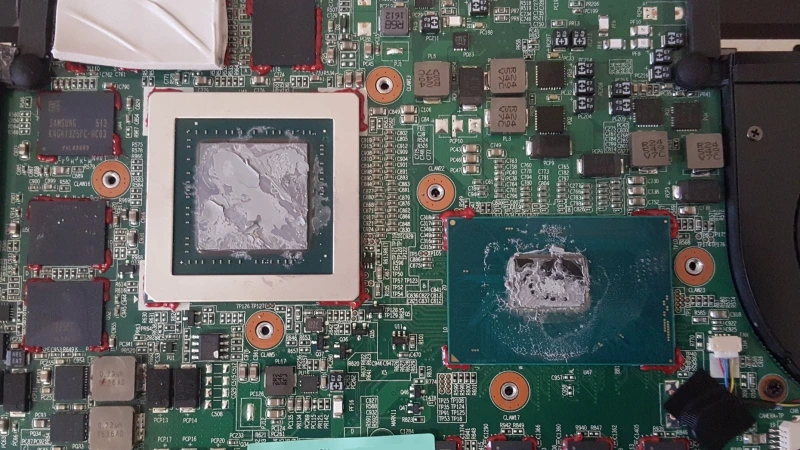
Termal Macun Ne Yarar?
Termal macun, CPU/GPU silikon with heatsink mikroskobik doldurarak heat transferini . Metal, metal temas not, macun bu heat iletken malzemeyle doldurur. W/m·K cinsinden , more iyi cooling demektir.
Standart laptoplardatermal macun replacementfan . metal modellerde Arctic MX-6 prefer edilir. Macun CPU'da not, GPU ve modellerde chipset on de .
Termal macun elektrik iletkeni not, durumunda bile devre riski ( metalin aksine). Bu nedenle ofis ve ultrabook modellerinde safe .
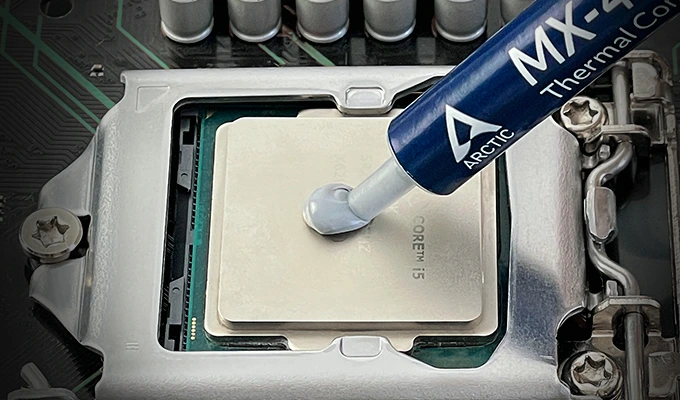
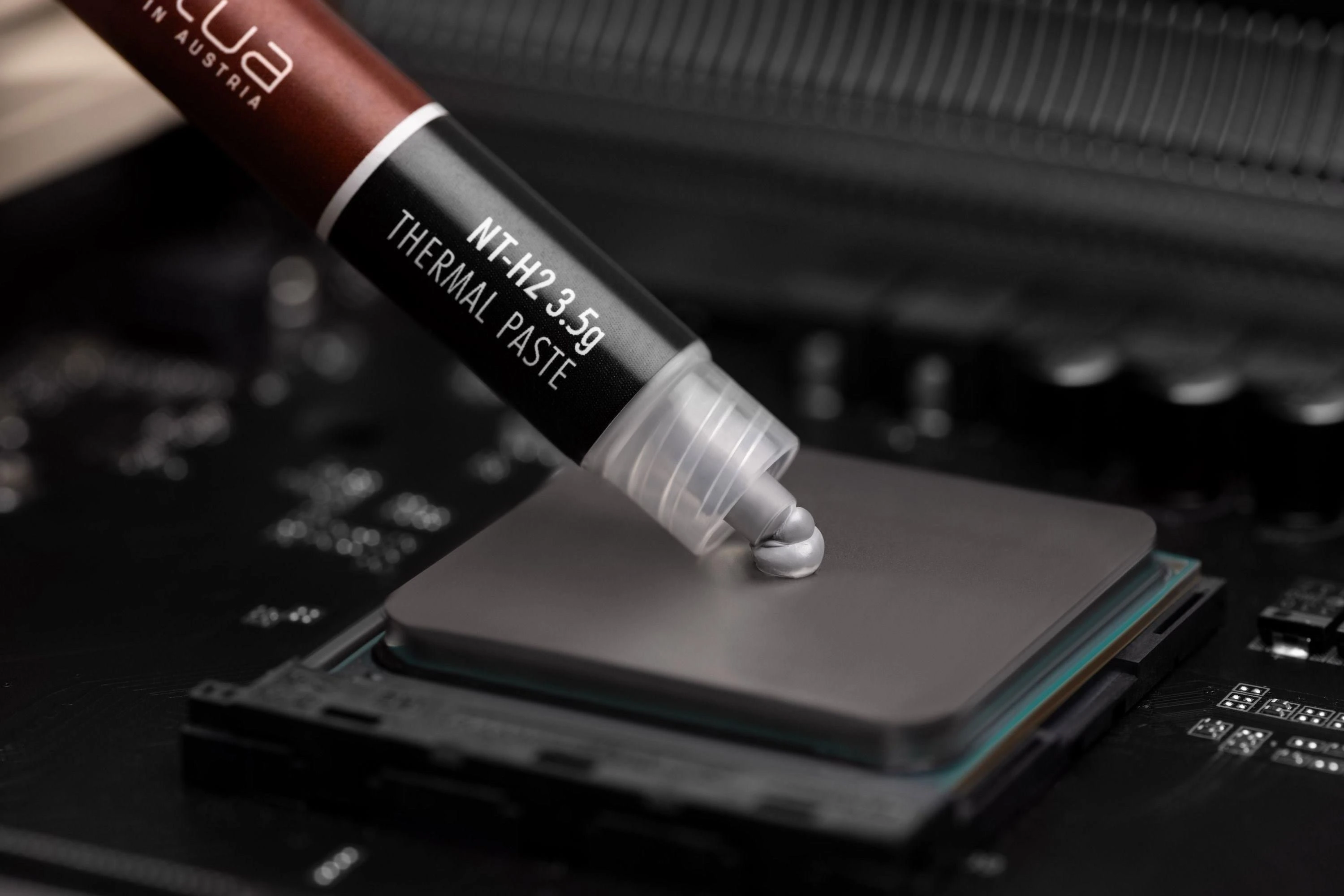
Arctic MX-6 Termal Macun
Arctic MX-6, Mx Store'da standart laptop ve MacBook maintenance premium termal macundur. heat , uzun ve kolay with . Fabrika macununa 8–15°C .
MX-6 non-conductive (iletken olmayan) , anakarta riski . Kuruma durationsi uzundur, 2–3 year korur. Gaming modellerde metal CPU/GPU MX-6 ideal .
Repairmizde her MX-6 after "pump out" (ezilme) etkisi for tork with heatsink is done. Macun kart kontrol edilir. Quality termal malzeme, ucuz macunla done 3–4 kat .
Metal What is?
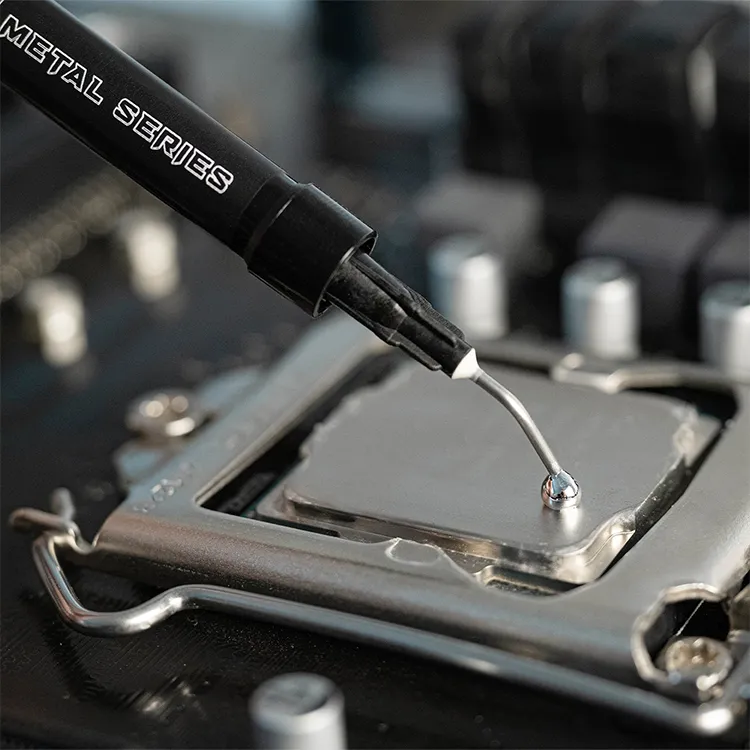
metal(liquid metal), galyum iletkenlikli termal malzemesidir. Termal macundan 3–8 kat more iyi heat transferi , TDP gaming processor ve GPU'larda fabrika as . nedeniyle anakarta damlama ciddi devre riski .
Pro option uygulamada CPU/GPU izolasyon bariyeri (nail polish or bant) . Eski metal tamamen temizlenmeden yeni uygulama . Mx Store'da gaming laptoplarda metal model then .
metali evde uygulamak . miktar, eksik izolasyon or heatsink uygulama felaketle .Gaming laptop fan maintenancepaketimize dahil olan metal yenileme, deneyimli teknisyenler is done.
Metal Hangi Laptoplarda ?
metal genelde gaming laptoplarda :ASUS ROG Strix/Zephyrus,MSI Raider/Katana,Monster Abra/Tulpar,Lenovo Legion,HP OmenveAcer Predator/Nitroserilerinin modelinde fabrika metal available.
Model diagnosis after termal incelemesiyle is done. metal modellerde Arctic MX-6 ) metal "more iyi" olsa da uygulama anakarta zarar verir. technical ve saha experiencemiz karar vermede .
metal zamanla kurur ve kaybeder, 1–2 bir yenileme . Yenileme termal putty ve VRM padleri de kontrol edilir. Komple termal maintenance, metal replacement very more etkili verir.
Termal Putty What is?
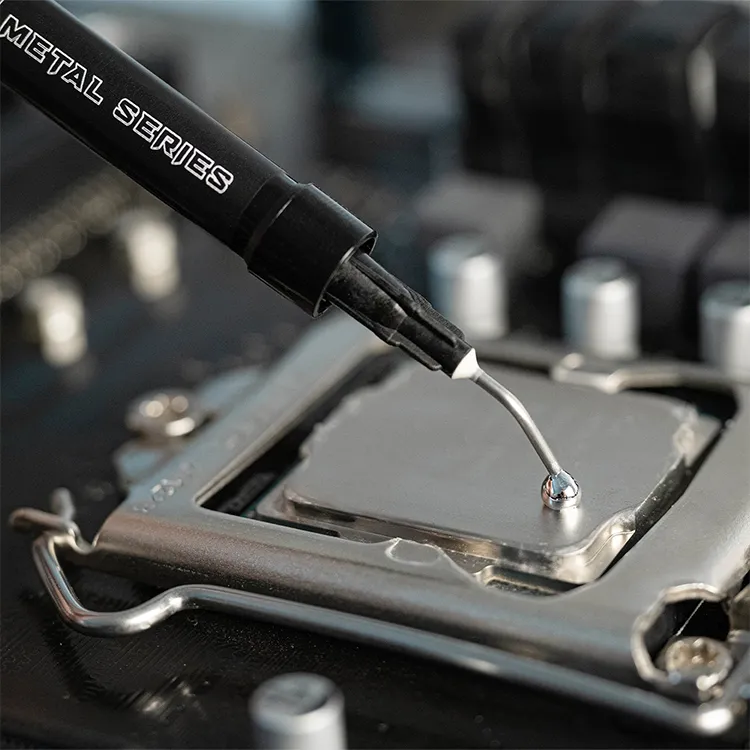
Termal putty, esnek ve alabilen heat iletkenli macundur. , VRM , chipset ve VRAM doldurmak for . Sert termal pad'in girintili alanlarda performans .
termal macun yeterli de modellerde termal putty . MSI ve ASUS gaming modellerinde VRM putty olabiliyor, bu durumda CPU normal bile VRM 100°C'ye .
Mx Store'da termal putty yenileme gaming maintenance paketine dahildir. Putty after hava .PTM7950veHoneywell PTMfaz padler de uygun alanlarda .

VRM Cooling What is?
VRM(Voltage Regulator Module), stabil voltaj power devresidir. ciddi heat . Yetersiz VRM cooling power throttling'e, sistem ve uzun vadede motherboard yol . Gaming laptoplarda VRM cooling genelde termal pad or putty with heatsink'e .
VRM HWInfo with okunabilir, most CPU bakar. Mx Store'da maintenance VRM pad/putty durumu kontrol edilir, or malzeme yenilenir. Chipset cooling da benzer prensiple .
VRM problemlaptop motherboard repairgerektirebilir, termal maintenance bu riski . overclock ve uzun render VRM termal kritiktir.

Gaming Laptop fan service
Gaming laptop fan maintenance, standart notebook maintenance more : or fan cleaning, metal or MX-6 yenileme, termal putty, VRM pad check, VRAM termal ve agresif stres testi gerektirir. Price1.550 – 3.750 TLdir, duration 60–90 minutes.
Gaming laptoplarda metal model then . Maintenance then device FurMark ve Cinebench testlerinden kontrol edilir. FPS ve thermal throttling belirtileri .
ROG, MSI, Monster, Legion ve Omen oyun sezonu before (yaz ) maintenance . Toz + ambient = termal felaket kombinasyonudur. maintenance,laptop performans problemnu .
MacBook Fan Maintenance
MacBook fan maintenanceince kasa, Pentalobe tornavida ve hassas flex kablo nedeniyle standart laptoplardan protokol gerektirir. Apple Silicon M1/M2/M3 modelleri heat de fan ve toz filtresi maintenance sessizlik for . Intel MacBook Pro modellerinde termal macun yenileme kritiktir.
MacBook'ta fan dar toz birikir. Fan sesi most servise gelme nedenidir. Mx Store'daMacBook fan maintenanceESD alanda, Apple uyumlu is done. Verilerinize dokunulmaz.
Price1.500 – 3.500 TL, duration 60–120 minutes. MacBook forMacBook repairhizmetlere de .
Laptop Fan Replacement
Laptop fan replacement, fan motoru or rulman faultnda gerekli fiziksel work. Belirtiler: fan , metalik , sesi, kanat crack or maintenance devam eden excessive overheating. Fan replacement orijinal uyumlu or OEM kalite fan .
Replacement termal maintenance da (device zaten . PWM fan ve tipi kontrol edilir. modellerde her iki test edilir.
Fan replacement price by model , free diagnosis after net teklif verilir. Stokta olan modeller same day handover edilir.
Fan Maintenance Fan Replacement mi?
Toz birikimi ve termal macun →fan maintenanceyeterlidir. Fan , var, kanat broken or maintenance overheating devam ediyor →fan replacementgerekir. Mx Store'da free diagnosis with karar verilir, gereksiz parts .
Ekonomik maintenance her zaman before denenmelidir) %80 vakada maintenance yeterlidir. Fan replacement gerektiren durumlarda bile termal malzeme yenileme birlikte . Aksi halde yeni fan eski macunla ve verim stays.
your device free incelemeye bring it in. 15 diagnosis with net yol .
Laptop FPS ?
Yes.Laptop FPS(mekanizma thermal throttling'dir. CPU ve GPU limitine frekans , bu da kare , mikro ve render gecikmesi as . "oyun " der, problem termal yetersizliktir.
Repairmize gelen gaming laptoplarda maintenance before ve after FPS %15–40 olabiliyor. 90°C'den 75°C'ye Turbo Boost durationkli aktif stays. Fan cleaning + termal yenileme, "optimizasyon"dan very more etkilidir.
FPS screen card faultndan da kaynaklanabilir, diagnosis is done. fan maintenance yeterlidir.
Thermal Throttling What is?
Thermal throttling, processor or GPU'nun excessive for hours (frekans) or as . Turbo Boost bu nedenle devre stays. 'nde CPU 800 MHz gibi inmesi tipik belirtidir.
Throttling oyunlarda not, video render, CAD ve veri analizi gibi CPU- de . throttling processor ve experienceni bozar. why most zaman tozlu fan ve termal macundur.
Maintenance after Cinebench ve OCCT with throttling testi is done. stabil throttling ortadan demektir.
CPU ve GPU How many Derece ?
CPU :35–55°C, ofis 45–65°C, oyun/render 70–85°C normaldir. 90°C durationkli maintenance gerektirir. 100°C'de most processor acil kapanma (thermal shutdown) yapar.
GPU :30–50°C, gaming 75–88°C normaldir. 95°C VRAM ve GPU for risklidir. Laptop GPU'lar desktopne according to more , bu normaldir ancak .
Mx Store'da maintenance before ve after HWInfo with all kaydedilir. "normal range" bilgisi verilir, gelecekte anormal kendiniz diagnosis edebilirsiniz.

Laptop How many Ayda Bir Temizlenmeli?
Ev/ofis :6–12 ayda bir. ofis ve tozlu ortam:6 ayda bir. Gaming laptop:4–6 ayda bir. Evcil hayvan, sigara ve on periyodu . MacBook ultrabook:8–12 ayda birgenelde yeterlidir.
Belirtiler ortaya maintenance geciktirilmemelidir: fan noise, alt , FPS , ani kapanma. maintenance, acil more ekonomiktir) fan replacement or motherboard repair maliyetinden .
Mx Store maintenance after sonraki maintenance tarihi . Company toplu maintenance sunulur.
Laptop Fan Ne Until Takes?
Standart ofis laptopu:30–60 minutes. Gaming laptop:60–90 minutes. MacBook:60–120 minutes. Fan replacement eklenirse1–2 hours. Most work same day handover edilir, appointment with bekleme durationsi minimize edilir.
etkileyen : fan , , termal malzeme tipi ( metal +20–40 dk), termal putty scope ve stres test durationsi. Mx Store'da duration , gecikme olmaz.
Perpa merkezimiz Monday–Saturday 10:00–20:00 .Technical servis durationciinceleyebilirsiniz.
Laptop After Testler
Maintenance then device FurMark ve Cinebench testlerinden kontrol edilir. AIDA64 with , OCCT with CPU/GPU stabilite testi ve HWInfo with fan devri is done. Test .
Test : 10 dk → 15 dk CPU stres → 15 dk GPU stres → 5 dk . Her max ve fan RPM kaydedilir. Anormal work .
Bu testler " kontrol" not, kalite . Warranted work . Handover maintenance raporu verilir.
Why Mx Store?
Mx Store, Istanbul Şişli Perpa'da 7+ deneyimlelaptop fan maintenancekonusunda repair workshoptir. ESD , mikroskobik temizlik, Arctic MX-6 ve profesyonel metal , clear ve warranted handover .
Day inside onlarca brand ve modelden gelen real vaka experiencemiz, bu yazan technical ekibin sahada bizzat sorunlara . Gereksiz parts , free diagnosis, approved work prensibiyle .
Fanlaptop screen replacement,laptop keyboard replacement,laptop motherboard repairveMacBook repairhizmetlerimiz tek . Modelinizi WhatsApp or telefon with iletin, 2 dakikada net price .
Fan Maintenance , Fan Replacement mi?
Toz ve termal macundalaptop fan maintenanceyeterlidir. Fan , var or maintenance overheating devam ediyorsalaptop fan replacementgerekir.
Fan Maintenance & Termal / Metal
- Fan ve kanal cleaning
- Mx6 termal macun / metal yenileme
- Termal putty ve VRM pad check
- testi
maintenance, most yeterli
Maintenance price alLaptop Fan Replacement
- Fan
- / sesi
- Maintenance overheating
- Rulman fault
Fiziksel fan gerekli
Fan replacement priceBrand Laptop fan service
Her cooling mimarisi . Sahadan real vaka deneyimlerimizle brand .
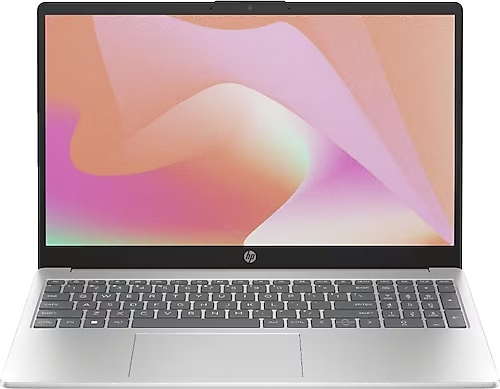 HPHP Pavilion ve EliteBook modellerinde tek kompakt cooling , Omen ve Victus serilerinde fan ve metal . HP laptoplarda fan most zaman keyboard hava . Yatak fast olur.
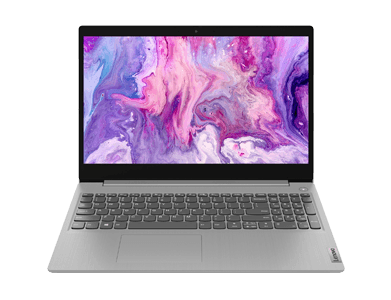 LenovoThinkPad serilerinde fan olsa da toz birikimi . Legion gaming modellerinde VRM cooling ve termal putty kritik . IdeaPad modellerinde ekonomik fan maintenance yeterli olabilir.
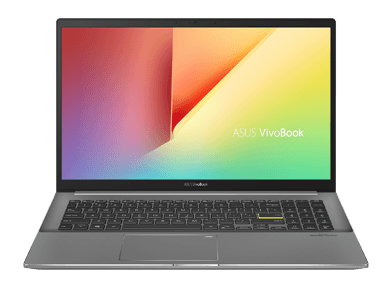 AsusROG Strix ve Zephyrus serilerinde fabrika metalli modeller . TUF Gaming modellerinde MX-6 termal macun yeterlidir. VivoBook ultrabooklarda ince kasa nedeniyle dikkatli .
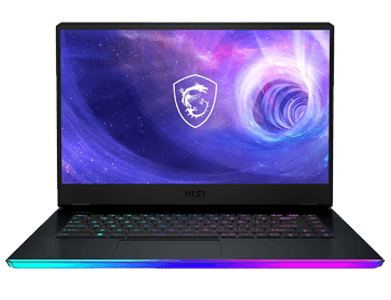 MSIMSI Raider ve Katana serilerinde fan ve heatpipe available. Repairmize gelen MSI large termal putty oluyor. Thin serilerinde metal riski model .
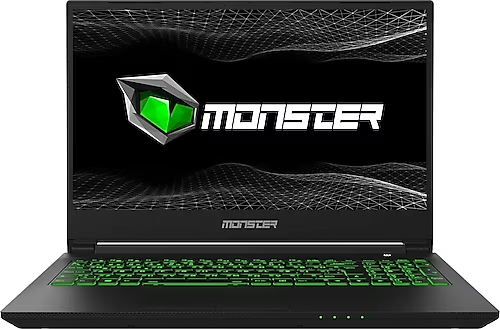 MonsterAbra ve Tulpar serilerinde TDP processor, GPU kombinasyonu fan sistemini zorlar. Monster laptoplarda metal model then . maintenance motherboard .
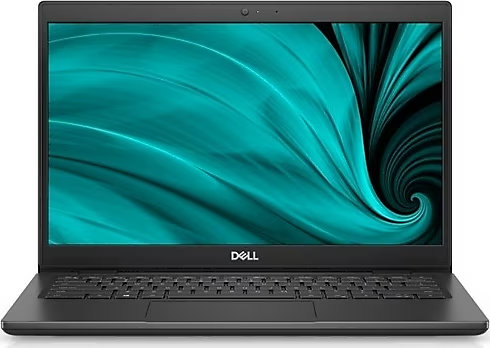 DellXPS ultrabooklarda fan dar, temizlik hassas . Latitude ofis serilerinde standart termal macun yeterlidir. Alienware modellerinde gaming laptop fan maintenance .
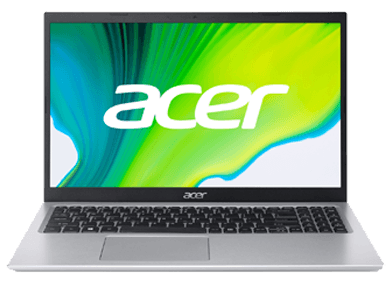 AcerPredator ve Nitro gaming serilerinde fan cleaning . Aspire ofis modellerinde bir maintenance genelde yeterlidir. Acer cihazlarda fan bearing 3–4 year then yol .
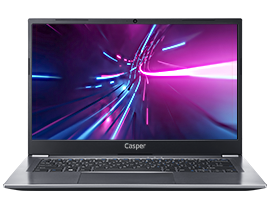 CasperExcalibur gaming serilerinde Monster benzeri cooling available. Nirvana ultrabooklarda sessiz fan hedeflenir. Casper modellerinde parts tedariki fast, fan replacement same day .
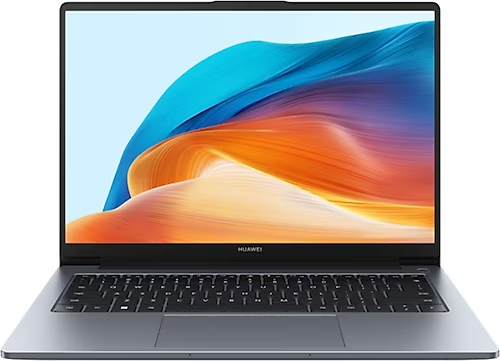 HuaweiMateBook serilerinde ince kasa ve tek . Metal kasa iletir ancak fan keyboard . Huawei modellerinde safe for tornavida seti .MacBookMacBook Air ve Pro modellerinde fan dar, toz filtresi dolar. Apple Silicon M serisi heat de fan maintenance sessizlik for . Intel MacBook Pro modellerinde termal macun yenileme kritiktir.
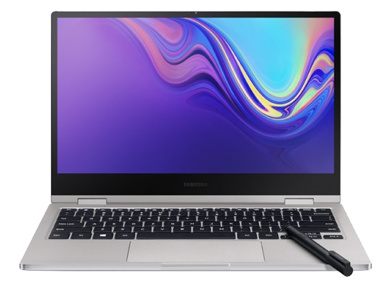 SamsungGalaxy Book serilerinde kompakt cooling available. Samsung laptoplarda fan sesi genelde toz birikiminden . Ultrabook modellerde MX-6 termal macun yeterlidir.
 ToshibaEski Toshiba modellerinde fan bearing . Satellite serilerinde standart fan cleaning most problem . Yedek fan tedariki olabilir, maintenance .
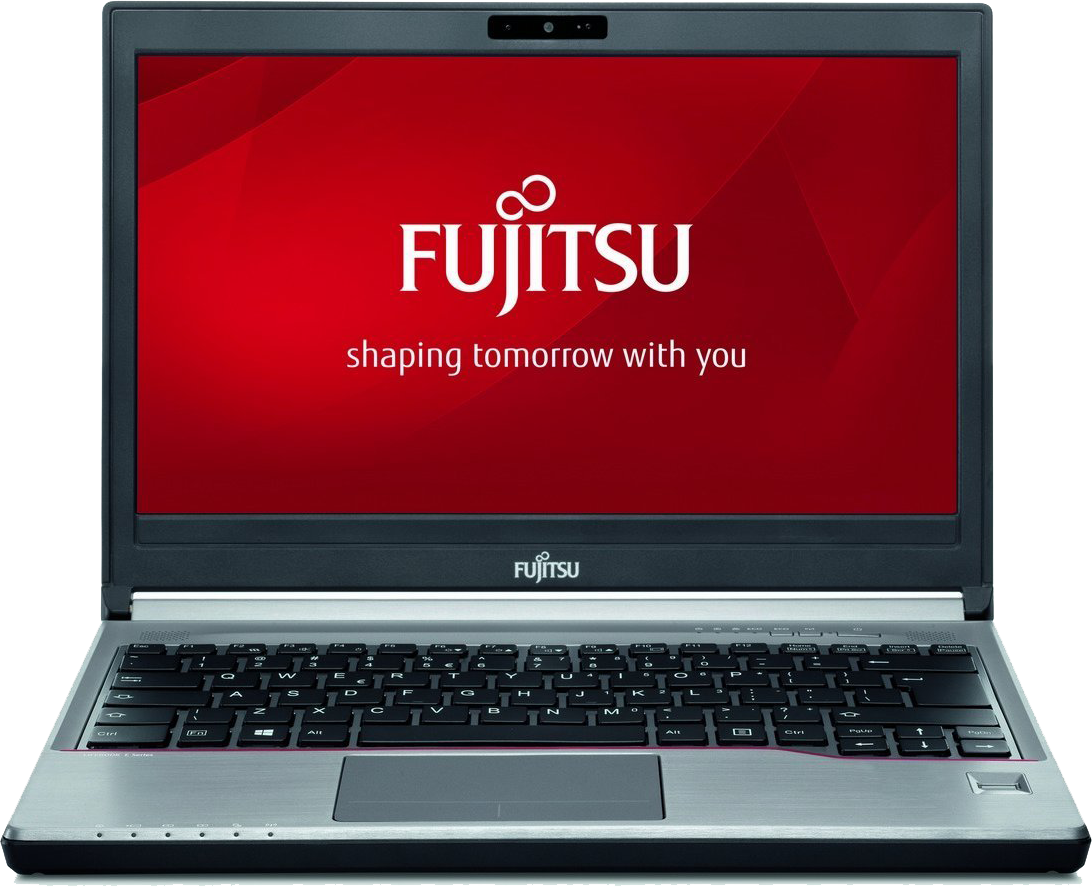 FujitsuLifebook serilerinde kurumsal fan . Fujitsu modellerinde chipset cooling termal pad with is done. notebook fan cleaning .
HP, Lenovo ve Brand Fan Maintenance
En very aranan brandlaptop fan maintenance pricerange.
HP750 – 2.250 TLPavilion, Omen, EliteBookPrice AlPopular AramaLenovo750 – 2.500 TLThinkPad, IdeaPad, LegionPrice AlAsus1.000 – 3.750 TLROG, TUF, VivoBookPrice AlMonster1.550 – 3.750 TLAbra, Tulpar, HumaPrice AlMSI1.550 – 3.750 TLGaming serileriPrice AlMacBook1.500 – 3.500 TLAir, ProPrice AlHangi Maintenance, Hangi Price?
Fan cleaning, metal likit, Mx6 termal macun, termal putty ve fan replacement paketleri.
Fan
750 TL'den
Toz, kanal ve kanat cleaning
Metal Likit
Gaming dahil
ROG, MSI, Monster termal yenileme
Mx6 Termal Macun
Maintenance dahil
Arctic MX-6 CPU / GPU
Termal Putty
Gaming dahil
VRM, chipset ve
Gaming Maintenance
1.550 TL'den
metal + fan cleaning
MacBook Maintenance
1.500 TL'den
kasa
Fan Replacement
Model
fan motoru
Komple Paket
750 TL'den
Fan + termal + overheating testi
Metal, Arctic MX-6 ve Termal Putty: Hangi Laptop'ta Hangisi?
Model diagnosisne according to termal malzeme . Gaming modellerdemetal, standart laptoplardaArctic MX-6, VRMtermal putty.
Gaming CPU / GPUMetal Likit
TDP gaming modeller
ROG, MSI, Monster ve Legion serilerinde fabrika metal likit . Termal macuna according to very more heat , profesyonel izolasyon .
ve GPU
Standart & MacBookMx6 Termal Macun
Arctic MX-6 profesyonel uygulama
Mx Store fan maintenance CPU ve GPU quality Arctic MX-6 termal macun . macun tamamen temizlenir, miktar ve yenilenir.
Ofis, ultrabook ve MacBook
VRM & ChipsetTermal Putty
doldurma ve pad yenileme
Gaming laptoplarda VRM, chipset ve heat borusu termal putty . Sert termal padlerin esnek putty, more iyi temas .
VRM, chipset, heatpipe
Metal Kullanan Popular Gaming Seriler
- ASUS ROG Strix / Zephyrus
- MSI Raider / Katana / Thin
- Monster Abra / Tulpar
- Lenovo Legion
- HP Omen
- Acer Predator / Nitro
Popular topics
Jump to prices and answers in one click.
Same day Laptop fan service Time
Free overheating testi → ESD → fan cleaning → termal yenileme → FurMark/Cinebench test → warranted handover.
- 01
Free overheating testi
ve fan devri
- 02
Safe
Laptop statik korumayla
- 03
Fan ve kanal cleaning
Toz ve kir profesyonel temizlenir
- 04
Termal malzeme yenileme
Mx6 termal macun, metal likit or termal putty model uygun
- 05
Montaj ve test
Fan devri ve kontrol edilir
- 06
Warranted handover
Maintenance after performans raporu
Bu Belirtiler Varsa Hemen Servise Gelin
- Laptop very , alt
- Fan durationkli devirde ve noisy
- Oyun ve programlarda ani kasma / FPS
- Laptop aniden (excessive overheating )
- Performans (thermal throttling)
- Fan or sesi
- Device yatak or koltukta more very
Real customer reviews
★★★★★"Laptop very , oyunlarda FPS . Fan cleaning ve metal yenileme after 25 derece . Same-day handover, price ."
★★★★★"MacBook fan durationkli noise . Mx Store'da termal macun replacement , sessiz . Verilerime , warranty belgesi verildi."
★★★★★"Termal putty , teknisyen bunu . FurMark testinde . Pro option ekipman ve ESD etkileyiciydi."
★★★★★"Notebook fan cleaning for Perpa'ya gittim. Free overheating testi , 45 dakikada handover ettiler. Laptop performans problem tamamen ."
★★★★★"Gaming laptop fan maintenance price makul geldi. metal model then . Cinebench testinden , memnunum."
★★★★★"Ofis laptopum durationkli fan sesi . Computer fan cleaning after sessiz . 7 deneyimli ekip ehli."
Repair Time, Test ve
Cooling maintenance CPU/GPU termal macunu, heatpipe ve fan kapsar, NVMe SSD with . Servis Şişli Perpa'. Kağıthane, Mecidiyeköy, Okmeydanı, Bomonti, Beşiktaş, Beyoğlu, Sarıyer ve Eyüpsultan gelen devices same diagnosis , Istanbul kargo teklif .
Brand ve by model , chip-level ve mekanik .
2019'dan beri Perpa Şişli workshop laptop, Apple, console ve tablet saha experience biriktirildi.
Parts kalitesi
Orijinal or birebir uyumlu A+ part prefer edilir, approval before option ve price .
Kalite kontrol
Handover before fonksiyon ve heat testleri is done, anomali varken device .
Warranty durationci
Done labour ve written warranty , duration handover formunda belirtilir.
Customer
Free diagnosis, clear teklif ve unapproved work , veri .
ve performans
fan sesi, throttle ve ani kapanma toz + termal macun olabilir. NVMe SSD ve DDR bellek upgrade overheating with , before cooling elenir.
ekipmanlar
Elektrostatik , dijital multimetre, heat istasyon ve mikroskop . Parts model/FRU is done, rastgele stok part .
Test
Repair after power, charging, picture, button/port ve heat check . Gaming or stress testi is done, anomali varsa handover ertelenir.
Ne zaman repair olmayabilir?
board short, korozyon or bulunamayan kritik repair ekonomik or technical as olmayabilir. Bu durumda replacement or device yenileme options , repair .
done hatalar
device zorla , uyumsuz kullanmak ve swollen ihmal etmek . Evde denemeleri vida ve flex yol , diagnosis .
Maintenance
watt , fan maintenance ve liquid damagena dikkat . SSD doluluk ve Windows tutun, warranty formu with birlikte .
Laptop fan service Frequently asked questions
Price, duration, termal macun, metal ve warranty about real customer .
Do you help English-speaking customers?
Yes. Mx Store in Perpa, Sisli accepts walk-in and cargo jobs. WhatsApp is the fastest way to send photos and get a quote.
Is diagnosis free?
Inspection is free. Paid repair starts only after you approve the quote.
Where is the workshop?
Perpa Trade Center, Sisli, Istanbul. Hours are Monday-Saturday, 10:00-20:00.
Do I need an appointment?
No. Walk-ins are accepted. A WhatsApp message with the model and fault helps on busy days.
Can I send a device from another district?
Yes. Istanbul customers can visit Sisli or ship the device. Cargo from other cities in Turkey is also accepted.
What does this page cover?
Laptop fan service and cleaning is handled at the same Perpa workshop as our other hardware jobs. The quote depends on parts and labour.
Laptop maintenance ne ?
Ev6–12 ayda bir, ofis6 ayda bir, gaming laptoplar4–6 ayda birfan maintenance .
Computer fan temizleme fee ne until?
Computer fan temizleme feenotebook modellerde750 – 3.750 TLrange. Mx Storelaptop ve notebookfan maintenance yapar, desktop kasa cleaning .
Laptop maintenance price ve fee ne until?
Laptop maintenance price750 – 3.750 TLdir.Laptop maintenance fee, fan cleaning, termal macun ve overheating testini kapsar.
Laptop fan maintenance , fan replacement mi gerekir?
Toz ve termal macundafan maintenanceyeterlidir. Fan , var or maintenance overheating devam ediyorsafan replacementgerekir.
Laptop fan replacement price ne until?
Laptop fan replacement priceby model .Fan replacement feefor free diagnosis after net teklif verilir.
Laptop fan maintenance ne until durationr?
Standart modellerde30–60 minutes, gaming ve MacBook modellerde 60–120 minutes durationbilir. Most work same day handover edilir.
Laptop fan maintenance verilerime zarar verir mi?
No. Fan maintenancediske work edilmez. ve .
Gaming laptop fan maintenance ?
Yes.Gaming laptop fan maintenancefan,metal likityenileme ve nedeniyle more . Price 1.550–3.750 TLdir.
metal mi termal macun mu ?
Gaming modellerde fabrikametal likitvarsa same tip yenilenir. Standart laptoplardaMx6 termal macun, VRM ve chipsettermal putty. malzeme anakarta zarar verebilir.
Laptop fan maintenance garantili mi?
Yes. Mx Store'da donelaptop fan maintenancejobs servis garantisi .
Laptop very ne ?
Before hava kontrol edin, yatak or koltukta . ve toz cleaning yetmezselaptop fan maintenance. Mx Store'da free overheating testi with durum .
Laptop fan maintenance how many TL?
2026laptop fan maintenancevelaptop fan temizleme fee750 – 3.750 TL.Laptop temizleme feemodel ve maintenance according to , approval before net teklif verilir.
Fan cleaning ne until?
Fan cleaning ne untilsorusunun by model : standart notebook750 – 2.250 TL, gaming laptop1.550 – 3.750 TL, MacBook1.500 – 3.500 TL. Time 30–90 minutes, free diagnosis after net price verilir.
Laptop cleaning how many hours durationr?
Standart modellerde30–60 minutes, gaming ve MacBook modellerde60–120 minutes. Most work same day handover edilir, appointment alarak bekleme durationsini .
Termal macun how many ?
Termal macun genelde2–4 yearthen kurur ve kaybeder. gaming bu duration1–2 year. Mx Store maintenance Arctic MX-6 with yenilenir.
Gaming laptoplarda metal gerekli mi?
Fabrikametalkullanan modellerde (ROG, MSI, Monster, Legion) same tip malzeme yenilenmelidir. Standart modellerdeArctic MX-6yeterlidir, malzeme anakarta zarar verebilir.
MacBook fan maintenance ?
Yes.MacBook fan maintenanceince kasa, tornavida ve hassas flex kablo nedeniyle protokolle is done. Price1.500 – 3.500 TLdir.
Evde laptop fan cleaning is done ?
Hava tozu fan for iter, termal macun replacement ve metal profesyonel ekipman gerektirir. warranty da iptal edebilir.
Laptop fan why durationkli ?
Tozlu fan , termal macun or arka planda fan durationkli tetikler.Notebook fan cleaningve termal yenileme most durumda problem .
Laptop fan ne ?
Device , fan CPU dakikada excessive . Fan motoru or kablo fault olabilir,laptop fan replacementgerekebilir.
Thermal throttling what is, how ?
Thermal throttling, excessive . 'nde CPU , oyunlarda FPS ve fan noise tipik belirtilerdir.
CPU how many derece normal?
35–55°C, oyun ve render70–85°Cnormal kabul edilir.90°Cdurationkli termal maintenance gerektirir.
GPU how many ?
Gaming75–88°Cmost laptop GPU for normaldir.95°Ctermal macun, putty or fan maintenance .
PTM7950 ve Honeywell PTM what is?
PTM7950veHoneywell PTMfaz termal pad malzemeleridir. VRM ve chipset heat transferi , gaming laptoplarda termal putty with birlikte .
Termal pad ne zaman ?
, or termal padler heat transferini . Fan maintenance measurement uygun yenilenir.
Laptop maintenance verilerimi siler mi?
No.Laptop fan maintenancevelaptop cleaningdiske work edilmez. ve .
Kargo with fan maintenance miyim?
Yes. Turkey genelinden kargo with device . kargo fee Mx Store . Maintenance before WhatsApp with model bilgisi yeterlidir.
Fan maintenance garantisi var ?
Yes. Mx Store'da done alllaptop maintenancejobs labour garantisi . Handoverta warranty belgesi verilir.
AIDA64 ve HWInfo testleri mu?
Yes. Maintenance afterAIDA64,HWInfo,FurMarkveCinebenchwith ve performans , .
OCCT with stabilite testi is done ?
Gaming ve istasyonu modellerindeOCCTCPU/GPU stres testi . Thermal throttling ve VRM bu testle hale gelir.
Laptop fan maintenance price ne until? Hemen
Modelinizi , 2 dakikada netlaptop temizleme fee. Free overheating testi, warranted handover.
- 30–90 minutes same day handover
- Arctic MX-6, metal, termal putty
- Perpa Şişli · Monday–Saturday 10:00–20:00